🖼️ Bulk Image Converter
Convert JPG and PNG files to WEBP or PNG locally in your browser.
Lower quality results in smaller file sizes (higher compression). Set to 100 for minimal loss.
Conversion Status
There are several free online tools that can perform bulk image conversion of JPG and PNG files to WEBP or PNG. Many of these tools offer client-side conversion, meaning your images are processed in your browser and not uploaded to a server, which can be faster and more secure.
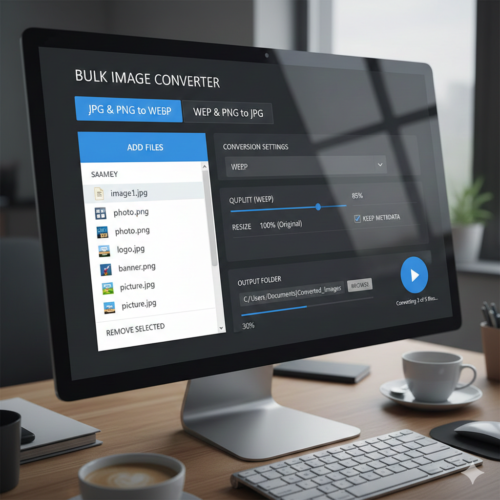
Key Explanations
- Client-Side Processing (The Magic):
- The entire conversion happens within the user's browser using JavaScript and the HTML
<canvas>element. - This is highly private and efficient because large image files are never uploaded to a server—they are read directly from the user's file system, processed, and then downloaded back.
- The entire conversion happens within the user's browser using JavaScript and the HTML
- Conversion Steps:
FileReader: Reads the selected file(s) as a Data URL (a Base64-encoded string representing the image data).ImageObject: The Data URL is loaded into a temporaryImageobject in memory.<canvas>: A temporary canvas element is created. The image is drawn onto this canvas usingctx.drawImage().canvas.toDataURL('image/webp', 0.8): This is the core conversion step! It tells the browser's canvas API to serialize the pixels (the image data) into the WEBP format at a specified quality (0.8 or 80%).
- Bulk Download:
- The code iterates through the
filesToProcessarray. - For each file, it creates a temporary
<a>(link) element, sets itshrefto the WEBP Data URL, sets thedownloadattribute to the new.webpfilename, and then programmatically callslink.click(). This triggers a separate download for every converted file.
- The code iterates through the
| Tool Type | Examples | Key Features for Bulk Conversion |
| Online Converters | toWebP.io, TinyPNG, CloudConvert, Pixelied | * Batch Processing: Convert multiple JPG and PNG files simultaneously. * Output Formats: Support conversion to WEBP (highly recommended for web performance) and often PNG. * Compression/Quality Settings: Allow adjustment of compression levels for WEBP. * Browser-Based: Many (like toWebP.io and ImageKit) process files locally for speed and privacy. |
| Desktop Applications | XnConvert, IrfanView (with plugins) | * Cross-Platform: Available for Windows, Mac, and Linux (XnConvert). * Extensive Actions: Offer over 80 editing actions (resize, crop, filters) along with conversion. * Local Processing: All conversion happens on your computer. |
| Command-Line Tools | cwebp (from Google) | * Advanced Users/Developers: Requires scripting knowledge (e.g., PowerShell or Bash) for bulk processing. * High Efficiency: Provides precise control over the conversion process. |
Why Choose WEBP?
WEBP is a modern image format developed by Google that is generally preferred for website use. It offers:
- Smaller File Sizes: WEBP files are often 25% to 34% smaller than comparable JPG or PNG files at the same quality.
- High Quality: It supports both lossy and lossless compression.
- Versatility: It supports both transparency (like PNG) and animation (like GIF).
- SEO Boost: Faster loading images can improve your website's performance and Core Web Vitals, which is good for SEO.
- Website Speed Test
- Bulk Image Converter JPG and PNG files to WEBP or PNG
- Ozempic अब भारत में: मधुमेह और वजन प्रबंधन में एक नया अध्याय
- Aaj Ka Rashifal: Daily Rashifal, 13 december 2025
- Firozabad AQI 221: हवा में घुला ‘जहर’! 13 december 2025
Since your website is josforup.com, converting your images to WEBP can be a great way to improve your site's loading speed and overall user experience.
If you are a Windows 11 user, there are even built-in methods, though they might be less efficient for bulk conversions.
- Website Speed Test
- Convert Any File Into PDF
- Age Calculator
- Real-Time Digital Clock and Date Display, Alarm